![people element logooo.png]](https://20709424.hs-sites.com/hs-fs/hubfs/people%20element%20logooo.png?height=50&name=people%20element%20logooo.png)
Create separate manager 360 surveys for each group in your organization to allow you to utilize the group reports. Example: “HR Manager 360”, “Sales Manager 360”, “Marketing Manager 360”. Each would be its own survey.
Dashboard
Total subjects: Number of subjects that have survey responses.
Total raters: Number of raters (including self) that completed the survey.
Total review items: Number of behavior items included in the survey.
Total comments: Number of comment responses for open-ended questions.
Suggested areas of action: Your top three survey items to act on. When you click on “view action plans”, you are guided to suggested actions using our best practice recommendations. From here, you can create and save action plans for any behavior item within the survey.
 Overall favorability: The overall percent of favorable responses is based on single select behavior items only. On a 1-5 scale, favorable responses are 4 and 5. Favorability scores are also broken out by each rater relationship group.
 Highest and lowest rated items: The behavior items with the five highest and five lowest mean (average) scores.
Report
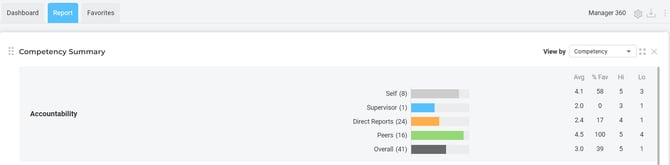
- Group Report: includes an “about this report” instruction page, competency summary, individual item summary, and the five highest and lowest rated items.
- Individual Report: allows you to select and download a report for an individual subject. This report includes an “about this report” instruction page, competency summary, individual item summary, the five highest and lowest rated items, comments, and development recommendations.
- Participation: allow you to see how many raters were invited and complete the survey per subject.
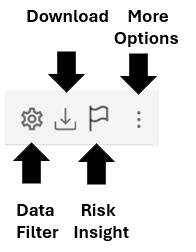
To create a risk insight report, follow directions found here.